Introduction
Businesses today want web applications that look polished, load quickly, and work smoothly across devices. At the same time, development teams aim to ship faster without maintaining separate codebases for mobile and web. This is where Flutter for web development becomes a practical choice.
Flutter allows developers to build interactive websites using the same framework used for mobile apps. Instead of juggling multiple technologies, teams can write one codebase and deploy it across platforms. This approach saves time, reduces maintenance, and keeps the user interface consistent.
In this guide, you will learn how web development with Flutter works, which tools to use, how to set up your environment, and how to create your first website using Flutter step by step. Whether you are a developer or a decision maker, this guide will help you evaluate if Flutter fits your next project.
What is Flutter for Web Development
Flutter for web development means using Google’s Flutter framework to create browser-based applications and full websites with a single shared codebase. Instead of combining HTML for structure, CSS for styling, and JavaScript for behavior, developers build everything using Flutter widgets and the Dart programming language. This approach keeps both design and logic inside one ecosystem, which simplifies the overall workflow.
Flutter originally started as a mobile app framework. Over time, it expanded to support desktop and web platforms. This shift allowed teams to reuse the same layouts, components, and business logic across devices. As a result, web development with Flutter feels similar to building a mobile app, just rendered inside the browser.
This method helps solve several common issues faced by teams:
- Managing separate codebases for web and mobile
- Inconsistent design across platforms
- Longer development cycles
- Higher maintenance and testing effort
With Flutter for website development, teams can maintain one project and deploy it everywhere. It works well for startups, SaaS products, dashboards, and businesses that need fast releases and a consistent user interface. If you plan to launch a website using Flutter that behaves like an app, this framework offers a clean and efficient solution.
How Flutter Supports Browser-Based Apps
Flutter compiles Dart code into optimized JavaScript and uses its own rendering engine to draw every element on the screen. Each button, layout, and animation is a widget, which ensures smooth performance and a uniform look across browsers.
Flutter vs Traditional Front-End Approach
Traditional front-end development depends on multiple tools and frameworks working together. Flutter provides one toolkit for both UI and logic, which reduces complexity and makes development easier to manage.

How Web Development with Flutter Works
Web development with Flutter follows the same approach used for mobile apps, but the final output runs inside a browser. Instead of relying on separate front-end technologies, Flutter developers create the entire interface using Flutter widgets and write application logic in Dart. The framework then compiles the code into optimized files that browsers can understand.
At its core, Flutter uses a single codebase. This means the same project can serve mobile, desktop, and web platforms without rewriting layouts or features. When you update a component, the change reflects everywhere. This saves time and keeps the user experience consistent.
Here is how the workflow typically looks:
- Build the interface using widgets such as buttons, forms, and layouts.
- Write logic and state management in Dart.
- Compile the project for the web.
- Run and test directly in browsers like Chrome.
- Deploy the generated files to any static hosting server.
Behind the scenes, Flutter renders the UI using either an HTML renderer or a high-performance engine called CanvasKit. Both options ensure smooth visuals and app-like behavior. This is why many teams choose Flutter for web development when they want interactive experiences rather than static pages.
For businesses planning Flutter for website development, this unified structure reduces setup time and makes scaling easier. Developers work within one ecosystem instead of switching between multiple tools, which keeps the process faster and more organized.
Rendering Methods in Flutter Web
Flutter supports HTML rendering for lighter apps and CanvasKit for richer graphics and animations. Teams can choose based on performance and design needs.
Project Structure and Code Sharing
A typical project shares most files across platforms. UI components, business logic, and APIs remain common, while only small platform-specific tweaks are required.
Benefits of Using Flutter for Website Development
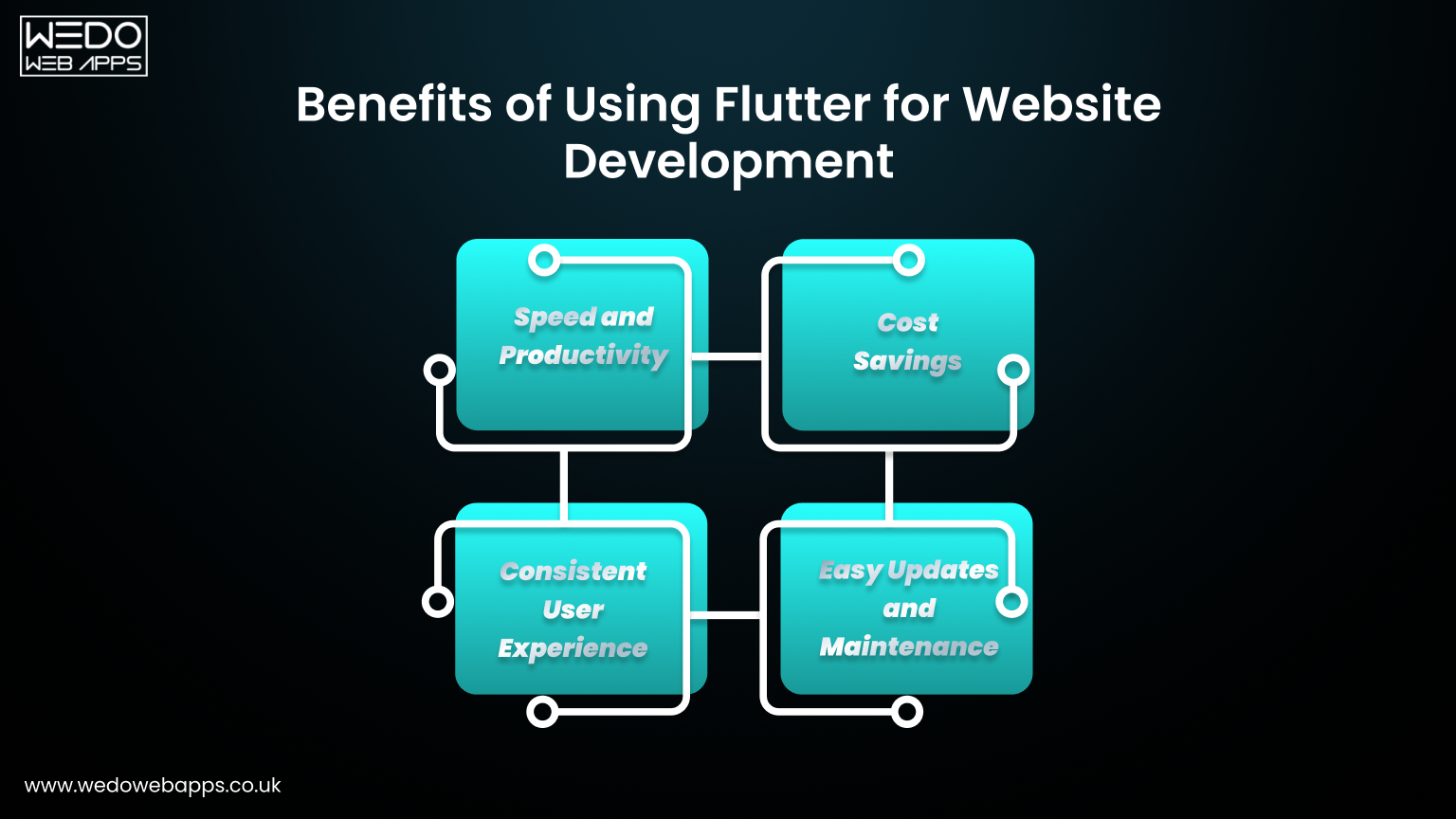
Using Flutter for website development brings significant advantages for businesses and development teams. By creating a single codebase for both web and mobile platforms, teams can deliver projects faster while maintaining a consistent user experience. For companies planning a website using Flutter, the framework’s rich set of widgets and extensive package ecosystem makes development more efficient and visually engaging.
Here are the key benefits:
Speed and Productivity
- One shared codebase for mobile and web reduces duplication of work.
- Pre-built widgets accelerate interface creation.
- Hot reload allows instant testing and adjustments without restarting the project.
Cost Savings
- Less development time results in lower project costs.
- A single team can handle both mobile and web apps, reducing resource requirements.
- Maintenance and updates are simpler compared to separate platforms.
Consistent User Experience
- Widgets behave consistently across devices and browsers.
- Smooth animations and transitions make web apps feel like native applications.
- Branding stays uniform, giving a polished and professional appearance.
Easy Updates and Maintenance
- Code changes apply across platforms without rewriting functionality.
- Debugging is simplified through unified tools and IDE support.
- Integration with Flutter packages adds features without extra effort.
For anyone planning a website using Flutter, these benefits translate into faster delivery, lower costs, and an overall better user experience. The strong community and ready-made packages make Flutter for website development a reliable choice for modern web projects that require interactivity, responsiveness, and scalability.
Website Using Flutter: Where It Fits Best
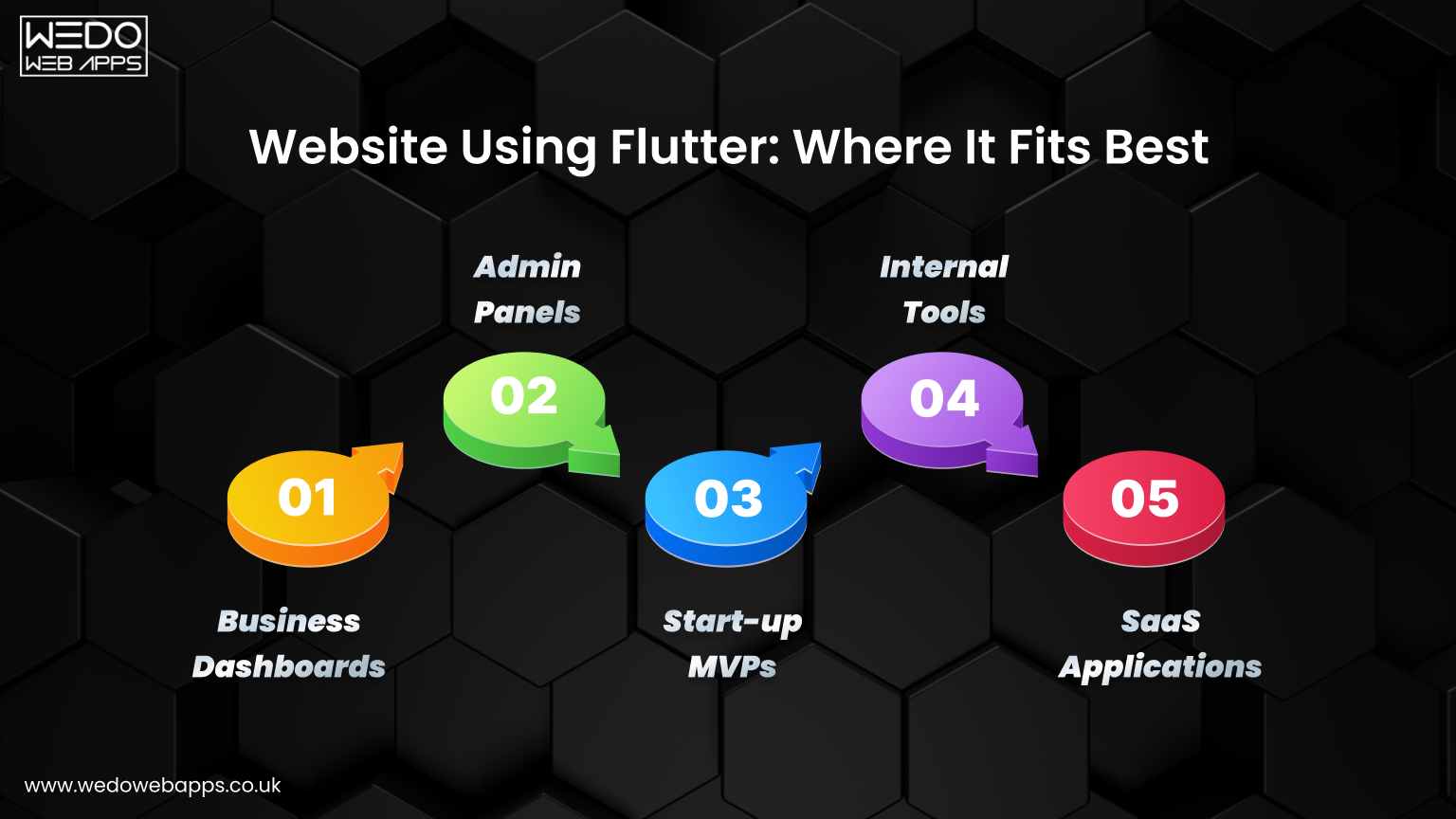
A website using Flutter is particularly effective for projects that require fast development, consistent design, and cross-platform development support. Flutter allows developers to maintain a single codebase for web and mobile, reducing development time and simplifying maintenance. The framework is especially suitable for interactive applications, dashboards, and tools that benefit from a polished user interface.
Here are the main types of projects where Flutter for website development shines:
1. Business Dashboards
Dashboards often display real-time data, charts, and analytics. Flutter for web development ensures these dashboards are responsive and visually consistent across devices.
Key advantages:
- Smooth, interactive charts and graphs.
- Dynamic updates without reloading the page.
- Unified design across desktop and mobile.
With Flutter’s widget-based system, developers can quickly create complex layouts and interactive elements, making dashboards both functional and visually appealing.
2. Admin Panels
Admin panels manage content, users, or workflows. Using Flutter for website development simplifies both creation and maintenance.
Benefits include:
- Consistent, professional interfaces.
- Faster development using reusable widgets.
- Simplified updates and easier debugging.
Flutter’s pre-built components allow developers to handle common admin features like tables, forms, and navigation efficiently.
3. Startup MVPs
Startups often need to launch Minimum Viable Products quickly. A website using Flutter allows teams to deploy functional prototypes across web and mobile with minimal effort.
Why it works well:
- Single codebase for multiple platforms.
- Quick iteration based on user feedback.
- Easier integration with APIs and backend systems.
This approach reduces time to market while still delivering an interactive and visually polished experience.
4. Internal Tools
Internal portals, reporting dashboards, or employee management systems require reliability and cross-device access. Flutter for website development ensures these tools are both fast and scalable.
Advantages:
- Responsive design for different screen sizes.
- Faster implementation due to shared components.
- Seamless updates without affecting other platforms.
Flutter helps maintain consistent design and performance across internal tools, improving efficiency for employees.
5. SaaS Applications
SaaS platforms need feature-rich, interactive interfaces. A website using Flutter enables developers to build robust SaaS applications with minimal friction.
Highlights:
- Unified experience for web and mobile users.
- Easy integration with APIs and databases.
- Accelerated development timeline due to reusable widgets.
Flutter’s ecosystem of packages and widgets supports charts, forms, and interactive components, making it ideal for SaaS products that require modern UI and fast delivery.
Flutter Web IDE and Development Tools
A Flutter web IDE is essential for building, testing, and deploying web applications efficiently. Flutter allows developers to use popular IDEs like Visual Studio Code or Android Studio, combined with its own SDK, to create websites with a single codebase. These tools streamline workflow, provide debugging support, and help maintain consistency across platforms.
Setting Up Your Development Environment
Before starting web development with Flutter, ensure you have:
- Flutter SDK installed. The core framework for building apps.
- Dart SDK. Included with Flutter for writing application logic.
- A compatible IDE such as Visual Studio Code, Android Studio, or IntelliJ.
- Browser support enabled. Chrome is recommended for testing.
With these components, developers can create and run websites using Flutter projects directly in the browser.
Best Flutter Web IDE Options
- Visual Studio Code: Lightweight, with strong Flutter extensions for code completion, hot reload, and debugging.
- Android Studio: Full-featured IDE with integrated Flutter plugins and emulator support.
- IntelliJ IDEA: Alternative for developers familiar with JetBrains tools, supporting Flutter and Dart.
Running and Testing Your Web App
- Use
flutter run -d chrometo launch your project in the browser. - Hot reload allows instant updates without restarting the app.
- DevTools provides performance insights, widget inspection, and debugging.
Workflow Advantages
Using a Flutter web IDE simplifies several aspects of web development:
- Centralized code management for web and mobile.
- Faster iteration with hot reload.
- Easy debugging and performance profiling.
- Integration with Flutter packages for charts, forms, and animations.
For developers and businesses, leveraging the right Flutter web IDE ensures smoother workflow, faster development, and consistent results across platforms. This makes Flutter a practical choice for both startups and enterprise applications.

Step-by-Step Guide to Create Your First Flutter Website
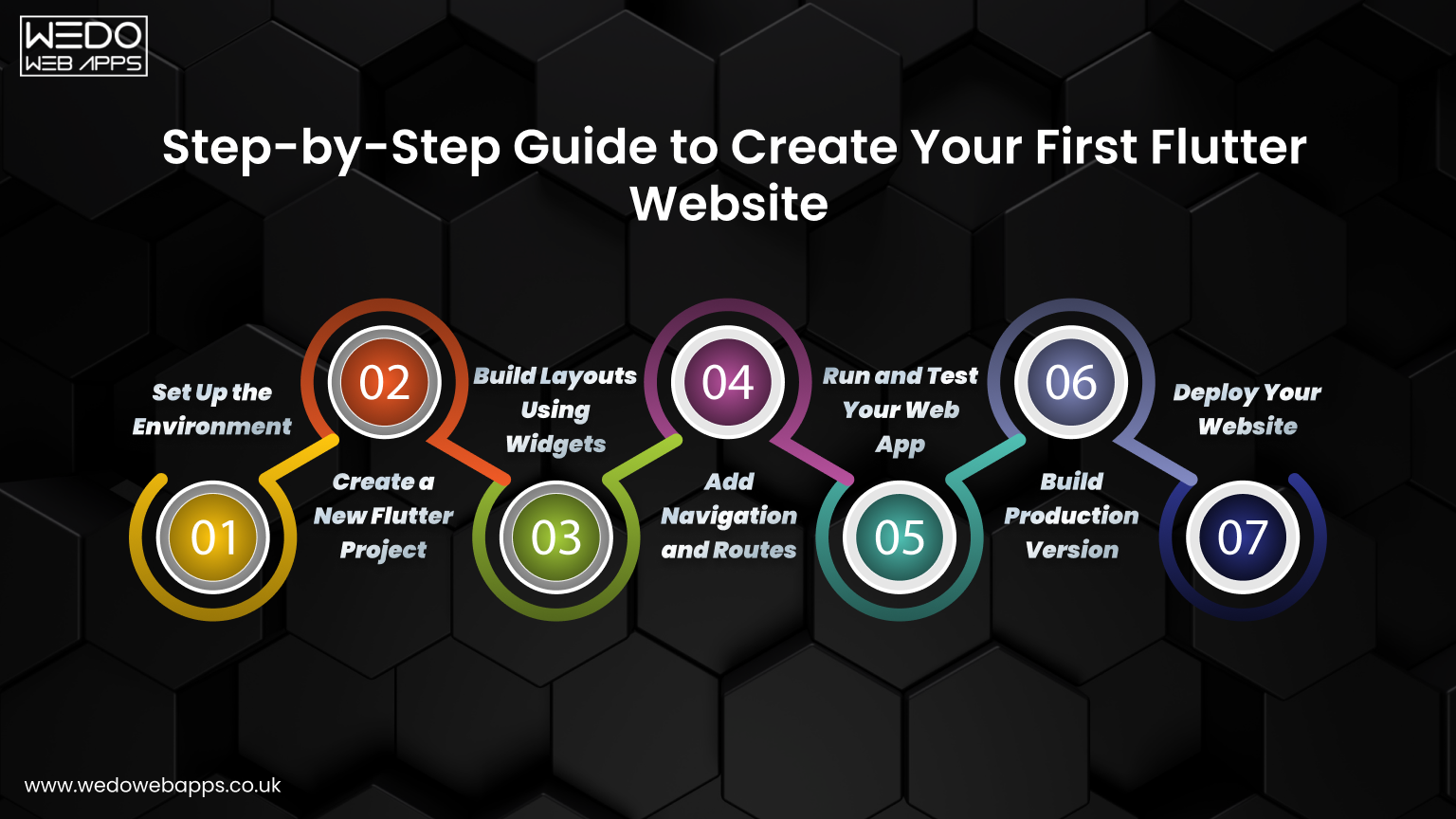
Creating a website using Flutter is easier than it might seem, especially if you are already familiar with Flutter for mobile development. With web development with Flutter, you can build a responsive, interactive website using a single codebase that also works on mobile and desktop. Below is a step-by-step guide to get you started.
1. Set Up the Environment
Before you start, ensure your system is ready:
- Install the Flutter SDK from the official website.
- Verify installation by running
flutter doctor. - Enable web support with
flutter config --enable-web. - Install a Flutter web IDE like Visual Studio Code or Android Studio.
- Make sure you have a modern browser, such as Chrome, for testing.
2. Create a New Flutter Project
- Open your IDE and run
flutter create project_name. - Navigate to the project folder using the terminal.
- Confirm that the web is supported with
flutter devices.
This creates a project that works across mobile and web, making it ideal for Flutter for website development projects.
3. Build Layouts Using Widgets
Flutter relies on widgets for everything from buttons to entire page layouts:
- Use
Container,Row,Column, andStackfor layout design. - Pre-built Material or Cupertino widgets help maintain consistency.
- Customize styles, padding, and colors to match branding.
4. Add Navigation and Routes
- Define routes in
main.dart. - Use
Navigator.pushorNavigator.pushNamedfor page transitions. - Ensure your navigation works across all devices.
5. Run and Test Your Web App
- Launch with
flutter run -d chrome. - Use hot reload to quickly see changes in the browser.
- Check responsiveness on different screen sizes.
6. Build Production Version
- Run
flutter build webto generate optimized web files. - The build folder contains everything needed to deploy to a hosting service.
7. Deploy Your Website
- Upload files to Firebase Hosting, Vercel, Netlify, or any static web server.
- Test the live site and confirm functionality across browsers.
By following these steps, you can quickly launch a website using Flutter that is interactive, responsive, and scalable. Flutter for website development lets you maintain one codebase for multiple platforms, reducing maintenance and development time while delivering a polished user experience.
Best Practices for Flutter for Website Development
When building a website using Flutter, following best practices ensures that your project remains maintainable, scalable, and easy to update. Flutter for website development allows you to reuse code across platforms, but without a structured approach, large projects can become difficult to manage.
1. Organize Project Structure
- Separate your code into clear folders:
lib/widgets,lib/pages,lib/models,lib/services. - Keep business logic and UI separate for easier maintenance.
- Name files and components consistently to improve readability.
2. Use State Management Wisely
Managing state properly is crucial for scalable web apps:
- Use Provider or Riverpod for simple apps.
- Use BLoC for larger, more complex projects.
- Keep state logic separate from UI widgets to simplify updates.
3. Create Reusable Components
- Build custom widgets for buttons, cards, and forms that you can reuse across pages.
- Avoid duplicating code. Reuse components wherever possible.
- Consistency in design improves UX and reduces bugs.
4. Optimize API Integration and Data Handling
- Use asynchronous calls with proper error handling.
- Cache data where possible to reduce network requests.
- Organize services and API calls in separate folders to maintain clean code.
5. Testing and Version Control
- Write unit and widget tests for critical functionality.
- Use Git for version control to track changes and collaborate efficiently.
- Regularly review and refactor code to maintain performance.
6. Performance Considerations
- Minimize heavy animations or unnecessary rebuilds.
- Use Flutter’s DevTools to monitor performance.
- Optimize images and assets for faster load times.
Following these best practices ensures that Flutter for web development projects are scalable, maintainable, and perform well across devices. Teams can build professional websites efficiently while reducing technical debt and long-term maintenance costs.
Flutter vs Traditional Web Development Approaches
Choosing the right framework impacts development speed, scalability, and user experience. Flutter for web development provides a unified approach compared to traditional stacks like React and Angular. Here’s a clear comparison:
Flutter vs React
| Feature | Flutter | React |
| Codebase | Single codebase for web, mobile, and desktop | Separate codebases for web and mobile |
| UI Development | Widget-based, highly customizable, built-in animations | Component-based, requires additional libraries for animations |
| Development Speed | Fast with hot reload and reusable widgets | Moderate, requires separate logic for mobile apps |
| Consistency | UI consistent across platforms | Depends on careful styling and cross-platform adjustments |
| Learning Curve | Easier if already familiar with Flutter and Dart | Easier for JavaScript developers, but requires mobile frameworks for cross-platform |
Flutter vs Angular
| Feature | Flutter | Angular |
| Codebase | Single codebase across platforms | Web-focused. Mobile apps require separate frameworks such as Ionic |
| UI Development | Pre-built widgets with easy customization | Template-based, requires HTML, CSS, and TypeScript |
| Performance | High performance with CanvasKit rendering | Good performance for traditional web apps |
| Cross-Platform Support | Full support for mobile, desktop, and web | Primarily web. Mobile requires additional frameworks |
| Developer Productivity | Hot reload and reusable widgets speed up development | Component-based, but cross-platform updates are slower |
Choosing the Right Approach
Selecting the right framework depends on your project goals, team skills, and long-term needs. Flutter for website development is ideal when speed, cross-platform support, and interactive UI are priorities. Traditional frameworks like React or Angular are better for content-heavy sites or projects requiring deep SEO optimization.
Key considerations:
- Project Type: Interactive dashboards, SaaS tools, or MVPs benefit from Flutter. Content-heavy websites may use React or Angular.
- Team Skills: Teams familiar with Dart and Flutter can leverage a single codebase. JavaScript developers may prefer React or Angular.
- Cross-Platform Needs: Flutter allows mobile and web deployment from one codebase, reducing maintenance.
- Design Consistency: Flutter ensures consistent UI across devices. Traditional stacks require careful styling and testing.
By evaluating these factors, teams can choose the framework that balances performance, maintainability, and speed to market.
Is Flutter Right for Your Next Website Project
Choosing Flutter for website development requires evaluating project goals, team expertise, budget, and timeline. Flutter offers fast development, cross-platform support, and interactive UI, but it may not fit every project. The following checklists and questions help you make an informed decision.
Key Considerations
- Project Type:
- Ideal for interactive web apps, dashboards, SaaS tools, internal portals, and MVPs.
- Less suitable for content-heavy websites, blogs, or marketing pages with a heavy SEO focus.
- Team Expertise:
- Teams familiar with Dart and Flutter can leverage a single codebase across platforms.
- Developers experienced only in traditional web stacks may face a learning curve.
- Time and Budget:
- Flutter reduces development time with hot reload and reusable components.
- Smaller teams can manage both web and mobile development from the same codebase.
- Design and User Experience:
- Flutter ensures a consistent and polished UI across devices.
- Ideal for applications requiring custom interactive elements.
- Long-Term Maintenance:
- Shared codebase reduces duplication and simplifies updates.
- Pre-built widgets and strong package support make scaling easier.
Startup Checklist
For small teams or startups planning a website using Flutter:
- Small team capable of learning Dart or already familiar with Flutter.
- Need to launch MVPs or prototypes quickly.
- The project requires an interactive UI across web and mobile.
- Budget constraints make a single codebase attractive.
- Flexible timeline that allows iterative development.
Enterprise Checklist
For larger organizations considering Flutter for website development:
- Teams with Flutter experience or a willingness to train developers.
- Projects with complex, cross-platform requirements (web plus mobile plus desktop).
- Need for consistent UI and branding across multiple platforms.
- Large-scale applications requiring scalable architecture.
- Adequate budget to support development and long-term maintenance.
Key Questions to Ask
Before committing to Flutter, consider these questions:
- Does the project require a website using Flutter that runs on multiple platforms?
- Is the speed of development and deployment a priority?
- Are interactive elements and consistent UI essential for your users?
- Does the team have skills in Dart and Flutter or the ability to learn quickly?
- What is the project size and timeline. Will Flutter help reduce maintenance overhead?
By answering these questions, you can determine if web development with Flutter aligns with your project goals and team capabilities. This structured approach ensures a practical evaluation before choosing the framework.
Conclusion
Flutter for website development has become a practical choice for businesses and developers seeking fast, consistent, and interactive web applications. By using a single codebase, teams can deliver projects across web, mobile, and desktop efficiently, reducing development time and maintenance effort.
For startups, Flutter enables rapid MVP launches, while enterprises benefit from scalable, cross-platform applications with consistent UI. Interactive dashboards, SaaS tools, internal portals, and prototype websites are all examples where web development with Flutter excels.
Before choosing Flutter, it’s essential to evaluate your team’s skills, project size, budget, and timeline. Using the decision checklists and best practices outlined in this guide will help ensure that a website using Flutter meets your business objectives and provides a smooth experience for users.
If you are ready to build a responsive, interactive, and scalable web application, starting with Flutter for web development is a strong step toward faster deployment and consistent cross-platform results.