Introduction
Your website looks polished. Your app works. Yet users still drop off.
They struggle to find what they need. Important actions get overlooked. Interfaces feel generic. Design teams spend hours refining screens that may still miss what users actually expect.
For UK businesses, these problems are becoming harder to ignore. Customer expectations are moving quickly, while design teams are under pressure to deliver better digital experiences without adding endless rounds of research, testing, and revisions.
This is where AI in UX design UK is gaining attention. AI can analyse user behaviour, surface patterns from customer feedback, generate design concepts, support prototyping, and identify potential usability issues. Used well, it can remove much of the repetitive work that slows down design teams.
The bigger question is where AI should fit into the process.
Should designers rely on AI-generated interfaces? Which AI design tools for web and app UK businesses can actually benefit from? And how can companies use AI without compromising usability, accessibility, privacy, or brand identity?
This guide looks at how AI is changing the UI/UX workflow, what it means for designers and users, and what UK businesses should consider before bringing AI into their design process.
How AI Affects UI/UX Design Workflow?
A typical UI/UX project involves hours of research, analysis, design exploration, testing, and revisions. AI can now support several of these stages, helping teams process information faster and spend more time on decisions that require experience and judgement.
For businesses, the value is not simply producing screens faster. It is about shortening the path from user insight to a better digital experience.
Here is where AI can make a practical difference.
User Research and Behaviour Analysis
Understanding users often means working through surveys, reviews, support conversations, analytics, and usability feedback. AI can process this information at scale and highlight recurring patterns.
Design teams can use those insights to identify common frustrations, frequently requested features, or points where users struggle during a journey.
The designer still needs to interpret those findings. AI simply makes the initial analysis far less time-consuming.
Wireframing and User Flow Creation
Early-stage design involves exploring different ways users could move through a website or app. AI tools can help generate initial layouts, suggest user flows, and produce alternative concepts based on defined requirements.
This gives designers more directions to evaluate before committing significant time to one approach.
UI Concept and Visual Exploration
AI can generate interface variations based on prompts, existing design systems, or specific visual requirements. Designers can use these outputs to explore layouts, typography combinations, content placement, and visual directions.
The strongest value comes during exploration. Teams can consider more possibilities before narrowing down the design that best fits the product, audience, and brand.
Prototyping and Design Iteration
Turning an idea into something testable can take considerable design effort. AI-assisted tools can speed up parts of the prototyping process and make it easier to experiment with different interactions.
That can help teams reach testing sooner.
It also makes iteration cheaper when early feedback shows an interaction or screen needs to change.
Usability and Accessibility Testing
AI can assist with identifying potential usability problems, inconsistent interface patterns, and certain accessibility issues.
This gives teams another layer of review before a product reaches customers.
However, automated checks should not replace real user testing. A tool can flag a potential issue, but understanding how that issue affects a specific audience still requires human judgement.
Design Handoff and Documentation
AI can also reduce repetitive work after the core design decisions have been made. Teams can use it to organise design documentation, generate supporting content, and make information easier for developers to interpret.
That can reduce friction between design and development teams.
The result is a workflow where designers spend less time on repetitive production work and more time solving the problems that actually shape the user experience.

How is AI Changing the User Experience
The impact of AI does not stop inside the design team. Its bigger business value appears when users notice that a website or app responds more naturally to what they need.
AI can help digital products learn from behaviour, respond to changing needs, and reduce the friction that often causes users to abandon a journey. For UK businesses, that can influence everything from product discovery to conversion and customer retention.
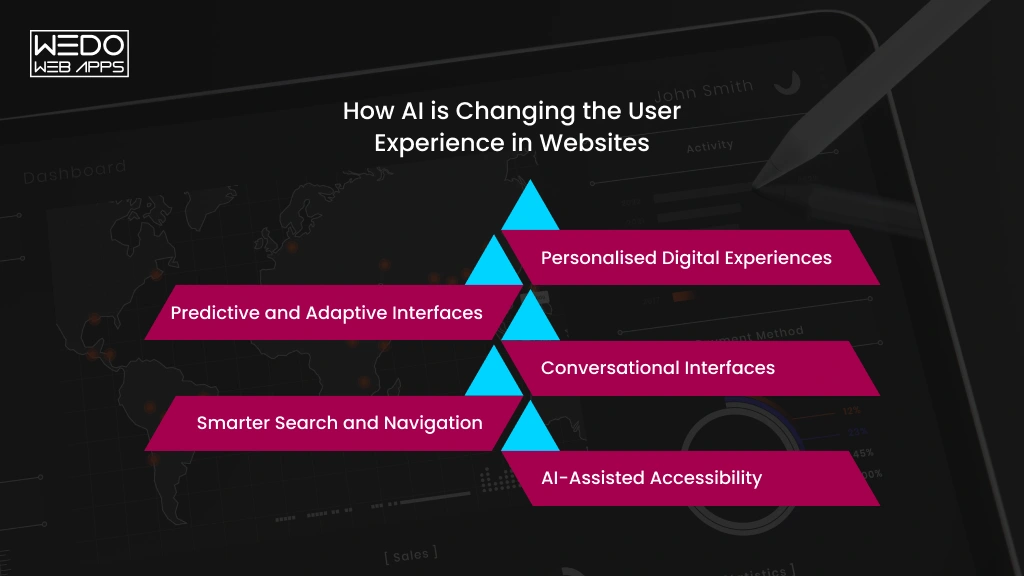
Personalised Digital Experiences
AI can analyse browsing behaviour, preferences, previous interactions, and other relevant signals to help tailor what users see.
An eCommerce website, for example, can surface more relevant products. A financial platform can present information based on a customer’s activity. A service website can guide visitors towards content that matches their needs.
The goal is not to personalise every element. It is to make the experience feel more relevant without making users feel tracked or manipulated.
Predictive and Adaptive Interfaces
Traditional interfaces generally behave the same way for everyone. AI can help digital products respond to patterns in how different users interact with them.
An interface might prioritise frequently used features, anticipate the next step in a journey, or adjust recommendations based on changing behaviour.
For businesses, this can reduce unnecessary steps and make important actions easier to discover.
Conversational Interfaces
AI-powered conversational experiences are changing how users search for information and complete tasks.
Instead of navigating through several menus, users can describe what they need in natural language and receive a relevant response or recommendation.
This can be particularly useful for customer support, product discovery, internal platforms, and service-based websites where users may not know exactly where to find the information they need.
Smarter Search and Navigation
Search is often where users reveal their intent more clearly. AI can help interpret natural-language queries, understand context, identify related terms, and surface more relevant results.
For businesses with large websites, product catalogues, or knowledge bases, smarter search can reduce the time users spend looking for answers.
That makes search an important part of the overall UX rather than simply a technical feature.
AI-Assisted Accessibility
AI can also support more inclusive digital experiences by helping teams identify potential accessibility issues during design and development.
It can assist with tasks such as analysing interface elements, identifying content problems, and highlighting areas that may require further accessibility review.
However, accessibility should never become a checklist completed by an AI tool. Real users have different needs, and meaningful accessibility still requires human testing, specialist knowledge, and careful design decisions.
For businesses, the strongest AI-powered experiences will be those that use technology to remove friction while keeping the user’s needs at the centre.
AI Design Tools for Web and App Projects
The right AI design tools for web and app UK projects depend on the stage of the design process. Some specialise in research, while others support wireframing, interface creation, UX content, or accessibility.
Rather than choosing tools based on the number of AI features they offer, businesses should match each platform to a specific design requirement.
Tools for UX Research and User Insights
- Dovetail uses AI to organise and analyse qualitative research, including interviews, customer feedback, and research notes. It can help teams identify recurring themes across large datasets.
- Maze focuses on product research and usability testing. Teams can use it to test prototypes, collect participant responses, and evaluate how users interact with proposed experiences.
Together, these platforms can support the research stage before designers begin making major interface decisions.
Tools for Wireframing and Ideation
- Uizard is built for rapid interface ideation. Designers can use text prompts, screenshots, or rough concepts to create editable wireframes and interface ideas.
- Relume focuses strongly on website planning. It can generate sitemaps, wireframes, and component structures that help teams establish the architecture of a website before detailed UI work begins.
These tools are most relevant during the early planning stage, when teams are deciding what a digital product should contain and how its pages or features should be organised.
Tools for UI Generation and Prototyping
- Figma remains a major platform for interface design and prototyping, with AI capabilities that assist with design-related tasks directly within the workflow.
- Framer AI allows users to generate website concepts from natural-language descriptions and refine them within the Framer environment.
For mobile app UI design, these platforms can support early exploration of screens such as onboarding flows, dashboards, navigation patterns, and feature interfaces before the final visual system is established.
Tools for UX Writing and Content
- Jasper and Writer can assist with generating and refining digital content. For UX teams, their applications can include creating variations of interface messages, onboarding copy, instructions, and other short-form content.
The value here is consistency and iteration across large numbers of interface elements. Final wording should still be checked against the product's tone, terminology, accessibility requirements, and user context.
Tools for Testing and Accessibility
- Microsoft Accessibility Insights helps teams identify accessibility issues in websites and applications through automated and manual testing features.
- Stark brings accessibility checks into design workflows, helping teams review areas such as colour contrast, typography, and other inclusive design considerations.
These tools can make accessibility review part of the design process rather than leaving it until the final development or launch stage.
How to Choose the Right AI Design Tool
Businesses do not need an AI tool for every stage of UI/UX design. The better approach is to identify a specific problem first and then choose technology that addresses it.
Consider:
- Design stage: Does the tool solve a research, ideation, UI, content, or testing requirement?
- Existing workflow: Can designers use it alongside their current software?
- Data handling: What customer, product, or business information will be processed?
- Output quality: Can the team control and refine the results?
- Accessibility: Does the tool support inclusive design requirements?
- Business fit: Does it suit the project's scale, complexity, and budget?
AI works best as part of a broader design toolkit. The objective is not to replace the existing UI/UX process with a collection of AI platforms, but to use the right technology where it adds genuine value.
Figma AI for UK Designers: What Can It Actually Do?
Figma AI for UK designers is useful because it brings AI-assisted capabilities into a tool many product and design teams already use for interface design, prototyping, and collaboration.
Rather than requiring designers to move between multiple platforms, Figma’s AI features can support several tasks within the existing design environment.
Generate and Refine Interface Content
Designers can use AI to create or refine text directly within designs. This can help when working on placeholders, interface labels, descriptions, onboarding screens, or other content-heavy layouts.
Explore Design Variations
AI can help teams create different approaches to an interface and explore alternatives during the early design process.
A designer might test different layouts, content structures, or visual directions before deciding which option deserves further development.
Speed Up Repetitive Design Tasks
Some design work involves repetitive actions that do not require significant creative judgement. AI can assist with parts of this work, allowing designers to spend more time on user journeys, interaction decisions, and visual hierarchy.
Support Prototyping and Collaboration
Figma’s collaborative environment also makes AI-assisted exploration easier to share with product managers, developers, and other stakeholders.
Teams can review concepts together, provide feedback, and decide which ideas should move forward.
Where Figma AI Still Needs a Designer
Figma AI can accelerate parts of the workflow, but it does not understand a business, its customers, or its brand as deeply as the people working on the product.
Designers still need to decide whether an interface makes sense, whether a journey feels natural, whether accessibility requirements are being met, and whether the final experience supports the business objective.
For UK businesses, that distinction matters. AI can help produce and refine design work, but the responsibility for the experience remains with the people who understand the users, product, brand, and market.
What AI Can Do vs What Designers Still Need to Own?
AI can handle an increasing number of design tasks, but speed does not equal good design. A generated interface may look polished while still failing to address the reason a user visits the product in the first place.
The distinction becomes clearer when responsibilities are separated.
| AI Can Support | Designers Still Need to Own |
|---|---|
| Analysing large volumes of feedback | Understanding the context behind user behaviour |
| Generating interface concepts | Deciding which concept solves the actual user problem |
| Creating layout variations | Establishing visual hierarchy and interaction patterns |
| Producing UX copy variations | Choosing language that fits users and brand voice |
| Identifying potential usability issues | Validating whether an issue actually affects users |
| Supporting accessibility checks | Designing genuinely inclusive experiences |
| Creating early prototypes | Deciding which interactions belong in the final product |
| Organising design documentation | Maintaining consistency across the wider product |
For businesses investing in UI/UX design services, this distinction is important. AI can reduce production effort, but it does not remove the need for product thinking, user research, creative direction, or design judgement.
The strongest workflow gives AI the repetitive and data-heavy tasks while designers remain responsible for the decisions that shape the experience.
That balance allows teams to move faster without treating generated output as the finished product.
What AI Cannot Get Right on Its Own
AI can process information quickly and generate convincing design outputs, but a visually polished interface does not automatically create a good user experience.
There are several areas where human judgement remains essential.
Understanding Why Users Behave a Certain Way
AI can identify patterns in analytics and feedback, but patterns do not always explain the reason behind them.
A high abandonment rate could indicate confusing navigation, poor messaging, pricing concerns, or a problem that exists outside the interface altogether. Designers need to investigate the context before deciding what should change.
Making Contextual Design Decisions
The same interface pattern can work well for one audience and poorly for another.
Industry expectations, user experience, brand positioning, cultural context, and the purpose of a product all influence design decisions. AI-generated recommendations may not account for these factors accurately.
Creating a Distinctive Brand Experience
AI can produce many polished visual options, but generating something visually acceptable is different from creating something recognisable and distinctive.
Businesses still need designers to establish the visual language, tone, hierarchy, and interaction details that make a digital product feel consistent with the brand.
Designing for Complex Accessibility Needs
Automated tools can identify certain accessibility problems, but accessibility involves more than technical compliance.
People interact with websites and apps in different ways. Designers need to consider cognitive load, navigation, language, interaction methods, and the needs of users with different abilities.
Balancing Business and User Goals
A design decision can improve one metric while creating another problem.
For example, making a promotional element more prominent might increase visibility but make the interface harder to navigate. AI can suggest alternatives, but deciding which trade-off is appropriate requires business and product judgement.
Taking Responsibility for the Final Experience
AI can generate recommendations and design outputs, but it cannot take responsibility for what customers ultimately experience.
Human review remains important before AI-generated work reaches production, particularly when a product handles sensitive information, serves vulnerable audiences, or supports important customer decisions.
For UK businesses, the practical lesson is simple: AI should contribute to design decisions, not make them independently.
What UK Businesses Should Consider Before Using AI in UI/UX
Bringing AI into a design workflow involves more than choosing a tool and giving designers access to it. Businesses also need to consider what information enters these platforms, how generated work is used, and who remains accountable for the final experience.
For UK organisations, these considerations should be addressed before AI becomes part of everyday design work.
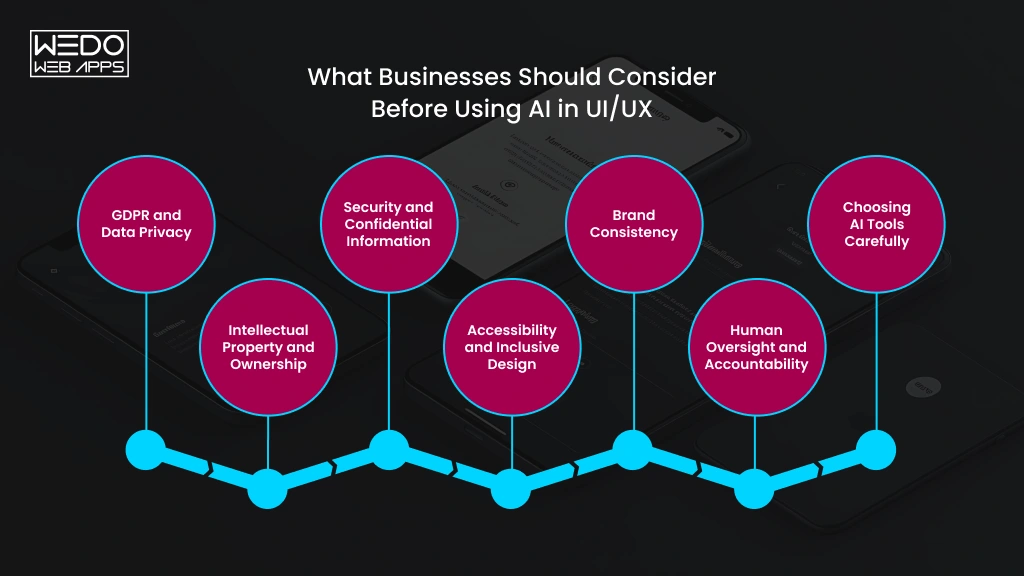
GDPR and Data Privacy
Customer research can contain names, contact details, behavioural information, feedback, and other personal data. Teams should understand how an AI platform handles this information before uploading research materials or customer datasets.
Avoid putting personal or confidential information into tools without first checking their data handling, retention, and privacy policies.
Intellectual Property and Ownership
AI-generated designs can raise questions around ownership, licensing, and the use of third-party content.
Businesses should review the terms of the AI tools they use and establish clear internal rules for generated assets, images, copy, and design components.
Security and Confidential Information
Design files can contain commercially sensitive information about unreleased products, customer journeys, pricing, features, and business strategy.
Teams should therefore consider whether an AI platform is appropriate for confidential project material and what controls are available for protecting that information.
Accessibility and Inclusive Design
AI can help identify accessibility issues, but accessibility should remain part of the design process from the beginning.
Businesses should ensure that AI-assisted designs are reviewed against relevant accessibility requirements and tested with appropriate users rather than relying solely on automated checks.
Brand Consistency
AI can generate attractive interfaces that still feel wrong for the business.
Design systems, brand guidelines, terminology, tone, imagery, and interaction patterns should remain consistent across the product. Human designers need to review generated work before it becomes part of the customer-facing experience.
Human Oversight and Accountability
Someone needs to be responsible for approving AI-assisted design decisions.
Teams should define who reviews generated outputs, who validates accessibility and usability, and who gives final approval before designs move into development.
Choosing AI Tools Carefully
Not every AI design platform will be suitable for every organisation.
Before adopting a tool, businesses should assess its security controls, data policies, integrations, pricing, collaboration features, output quality, and suitability for the type of project being developed.
A clear internal policy can prevent AI from becoming an uncontrolled addition to the design process and help teams use it where it provides genuine value.

When Should Businesses Use AI in UI/UX Design?
AI is most useful when it solves a clearly defined design problem. Businesses should not introduce it simply because an AI feature is available.
A practical way to decide is to look at the type of work involved, the information being handled, and the level of human judgement required.
Use AI When
- The work is repetitive: Use AI for tasks such as organising research, generating content variations, or preparing design documentation.
- You need multiple concepts quickly: AI can help teams explore different layouts, user flows, and interface directions during early design.
- There is a large amount of feedback: AI can help identify patterns across surveys, reviews, interviews, and other research material.
- You need rapid prototypes: AI-assisted tools can help turn ideas into early concepts that teams can review and test.
- You need additional design checks: AI can provide another layer of review for potential usability and accessibility issues.
Be More Cautious When
- Sensitive customer data is involved: Check how the platform handles personal and confidential information before using it.
- The product serves vulnerable users: High-impact experiences require careful research and human judgement.
- Brand differentiation matters: Generated designs may need significant refinement to reflect a distinctive brand identity.
- Accessibility is complex: Automated checks should not replace specialist review or testing with real users.
- There is no human review process: AI-generated work should not move directly into production without appropriate validation.
The goal is not to decide whether a business should use AI everywhere. It is to identify the parts of the UI/UX workflow where AI can provide useful assistance without compromising the quality of the final experience.
How to Introduce AI Into Your UI/UX Workflow
Adding AI to an existing design process does not require rebuilding the entire workflow. A controlled rollout allows teams to see where it genuinely helps before making wider changes.
Step 1: Identify Repetitive Design Tasks
Review the current workflow and identify activities that consume significant time without requiring complex creative judgement.
These could include research analysis, content variations, documentation, early wireframes, or design checks.
Step 2: Select Tools Based on the Workflow
Choose AI tools according to the specific tasks you want to improve.
Consider how well they integrate with existing design software, whether they support collaboration, and whether they are suitable for the type of project being developed.
Step 3: Establish Data and Privacy Rules
Decide what information designers can enter into AI platforms and what must remain restricted.
Create clear guidelines for customer research, confidential product information, personal data, and unreleased designs.
Step 4: Test AI on a Controlled Project
Start with a limited project or specific workflow rather than introducing AI across every design activity.
Compare the AI-assisted process with the existing approach and document what improved, what required additional work, and where the technology created problems.
Step 5: Keep Human Review in Place
Define which outputs require designer, product, accessibility, security, or stakeholder review before they can be used.
AI-generated work should remain subject to the same quality standards as manually produced work.
Step 6: Measure Efficiency and User Outcomes
Look beyond the number of hours saved.
Track measures such as design turnaround time, revision cycles, usability results, accessibility issues, user feedback, and conversion-related outcomes.
If AI makes production faster but the resulting experience performs worse, the workflow needs to be reconsidered.
A measured rollout gives UK businesses a practical way to adopt AI while keeping design quality, user needs, and business objectives at the centre of the process.
What the Future of AI-Powered UI/UX Could Mean for UK Businesses
AI is likely to become a more integrated part of the design workflow as tools become better at understanding user behaviour, design systems, content, and product requirements.
For UK businesses, the important question is not simply what AI will be capable of. It is how those capabilities can improve digital products without weakening usability, trust, or brand identity.
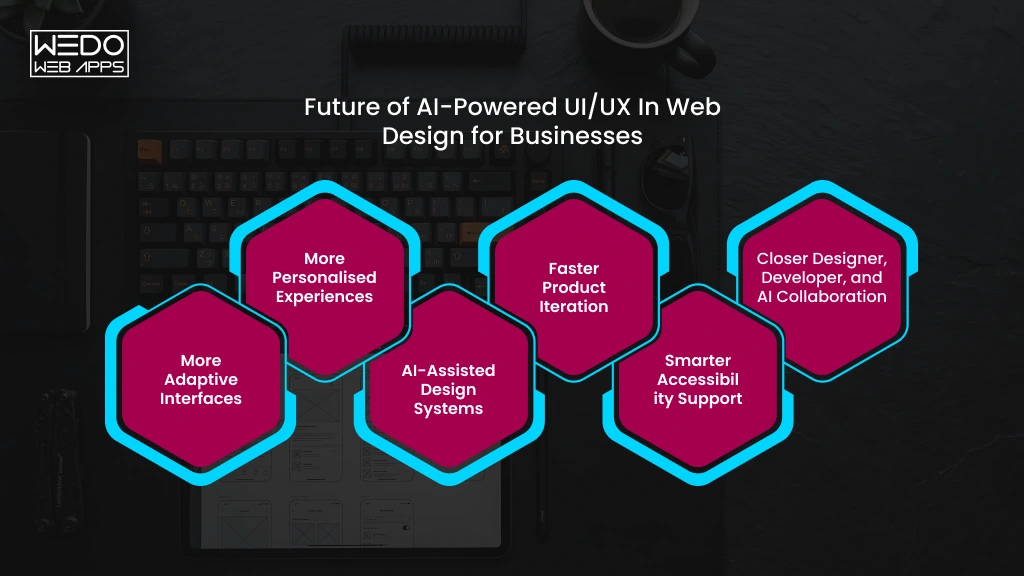
More Adaptive Interfaces
Future interfaces could respond more intelligently to how individual users interact with a product.
Frequently used features, preferred content, and previous behaviour could influence what users see and how they navigate a digital experience.
More Personalised Experiences
AI can make personalisation more contextual by considering multiple signals rather than relying on basic user segments.
For businesses, this could create more relevant product recommendations, content, journeys, and interactions across websites and applications.
AI-Assisted Design Systems
AI could make it easier for teams to work within established design systems by recognising existing components, patterns, and brand rules.
This may help designers create new interfaces while maintaining greater consistency across large digital products.
Faster Product Iteration
As AI takes on more repetitive design and analysis tasks, teams could move from research to prototype to testing more quickly.
That creates opportunities to validate ideas earlier and make product decisions using feedback rather than assumptions.
Smarter Accessibility Support
AI is also likely to become more useful for identifying accessibility concerns during the design process.
The technology may help designers spot potential issues earlier, but inclusive design will still depend on human expertise and testing with real users.
Closer Designer, Developer, and AI Collaboration
The boundaries between design, development, and AI-assisted production are likely to become less rigid.
Designers may use AI to prepare assets and specifications, developers may work from more structured design outputs, and product teams may use shared AI tools to explore and validate ideas.
For UK businesses, this could mean shorter development cycles and more responsive digital products, provided AI remains part of a controlled process rather than becoming a substitute for design expertise.
Conclusion
AI is changing how UI/UX teams research, explore, prototype, test, and refine digital products. For UK businesses, the opportunity is not simply to produce designs faster. It is to make better-informed design decisions while reducing the repetitive work that slows product teams down.
The strongest results come from combining AI capabilities with experienced designers who understand users, business goals, accessibility, brand requirements, and technical constraints.
Businesses considering AI in UX design UK projects should therefore start with a clear problem rather than a particular tool. Identify where the current workflow creates delays, test AI in a controlled environment, protect sensitive information, and measure whether it improves both efficiency and user outcomes.
AI can become a valuable part of the design and development process, but the quality of the final experience will still depend on the people guiding it.
If your business is exploring AI-assisted UI/UX, the right development partner can help you identify practical use cases and build an experience that is useful, accessible, and ready for real users.